
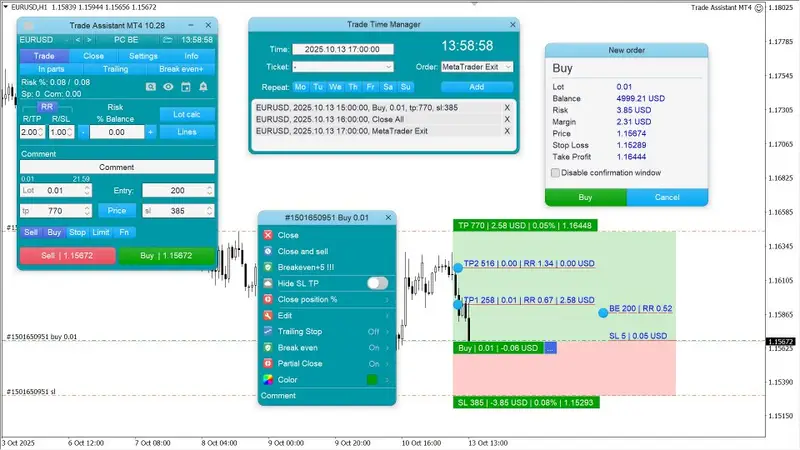
Expert Trade Assistant MT4 V10.23
It helps to calculate the risk per trade, the easy installation of a new order, order management with partial closing functions, trailing stop of 7 types and other useful functions.
Line function – shows on the chart the Opening line, Stop Loss, Take Profit.
With this function it is easy to set a new order and see its additional characteristics before opening.
Risk management – The risk calculation function calculates the volume for a new order taking into account the set risk and the size of the Stop Loss order.
It allows you to set any size of Stop Loss and at the same time to observe the set risk.
Lot calc button – enables/disables risk calculation.
In the Risk field set the necessary value of risk in percent from 0 to 100 or in the deposit currency.
On the Settings tab select the variant of risk calculation: $ Currency, % Balance, % Equity, % Free Margin, % Custom, % AB prev Day, % AB prev Week, % AB prev Month.
R/TP and R/SL – sets the relation of Take Profit to Stop Loss.
This allows you to set the size of the profit relative to the loss.
For example 1: 1 – this means the size of TP = SL,
2 : 1 – this means that the TP is twice as big as the SL.
RR – on/off the ratio.
Orders management
- The panel supports market and pending orders.
- Trade time manager – opening or closing by time.
- Close position by parts – closes a part of the order as a percentage of the set volume.
- Trailing Stop – 7 options for managing Stop Loss orders (in pips, Fractals, MA, Parabolic SAR, ATR, Partial Close, High Low Bar).
- Breakeven – moving the Stop Loss to a level without a loss.
- Limit Order Trailing – moves the Limit Order following the market price at a distance.
- OCO Order – function of cancellation of several pending orders, if one of them is activated.
- Virtual pending orders.
- Virtual Stop Loss and Take Profit – Hide SL TP.
- Closing of positions by order type.
- Closing of positions when a specified profit is reached.
Additional functions
- Symbol switch – changes the symbol of the current chart (or it is enabled separately for all charts).
- Hotkeys – trade functions and chart control are available.
- Notification when support and resistance lines are broken.
- Screenshot of the chart – when clicking the button on the toolbar or automatically.
Related Products
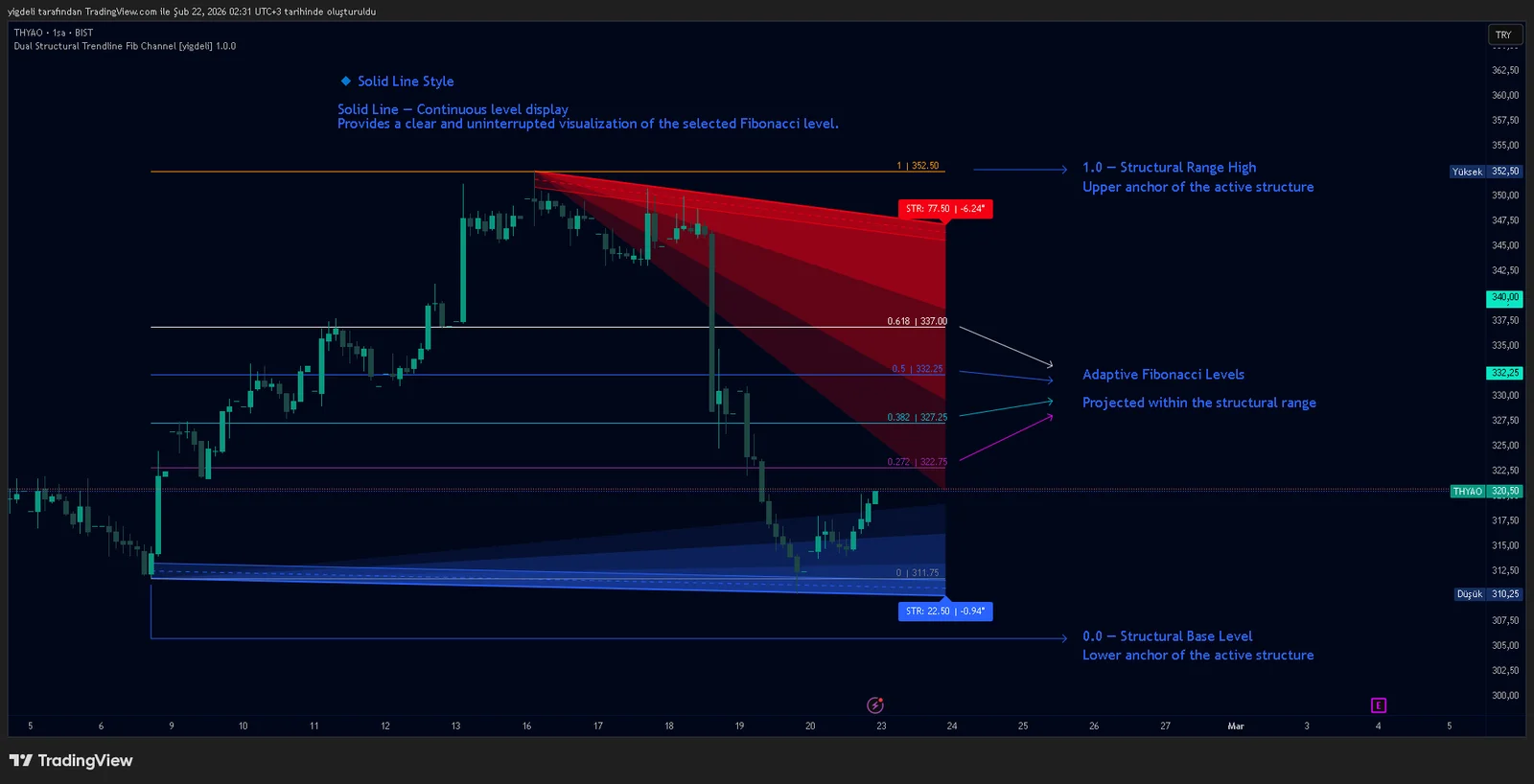
Dual Structural Trendline Fib Channel Free Download
Dual Structural Trendline Fib Channel is a structural analysis indicator that automatically constructs dual trendline channels using pivot-based slope logic.
![Wedge Pattern [InfinityAlgo] Free Download](https://infinityalgoacademy.net/wp-content/uploads/2026/02/Wedge-Pattern-UAlgo-—-Indicator-by-UAlgo-—-TradingView-22-02-2026_21_34-scaled.png)
Wedge Pattern [InfinityAlgo] Free Download
Wedge Pattern is a chart overlay that detects rising and falling wedge formations using strict pivot based rules and a validation engine that enforces classic technical analysis requirements. The script builds two trendlines from confirmed pivot highs and pivot lows

Volatility Aggregation Model Tradingview
Volatility Aggregation Model (VAM) is a very simple overlay indicator that classifies market direction using a five-speed ensemble of volatility-adaptive range engines. Instead of relying on a single trend filter, VAM evaluates direction across multiple responsiveness settings and converts those states into a normalized score

Quantum Emperor MT4 Free Download
Introducing Quantum Emperor EA, the groundbreaking MQL5 expert advisor that's transforming the way you trade the prestigious GBPUSD pair! Developed by a team of experienced traders with trading experience of over 13 years.

CyNera MT4 Free Download
Trading gold, one of the most volatile instruments in the market, demands precision, in-depth analysis, and strong risk management. CyNera Expert Advisor seamlessly integrates these elements into a sophisticated system designed for optimal gold trading.