
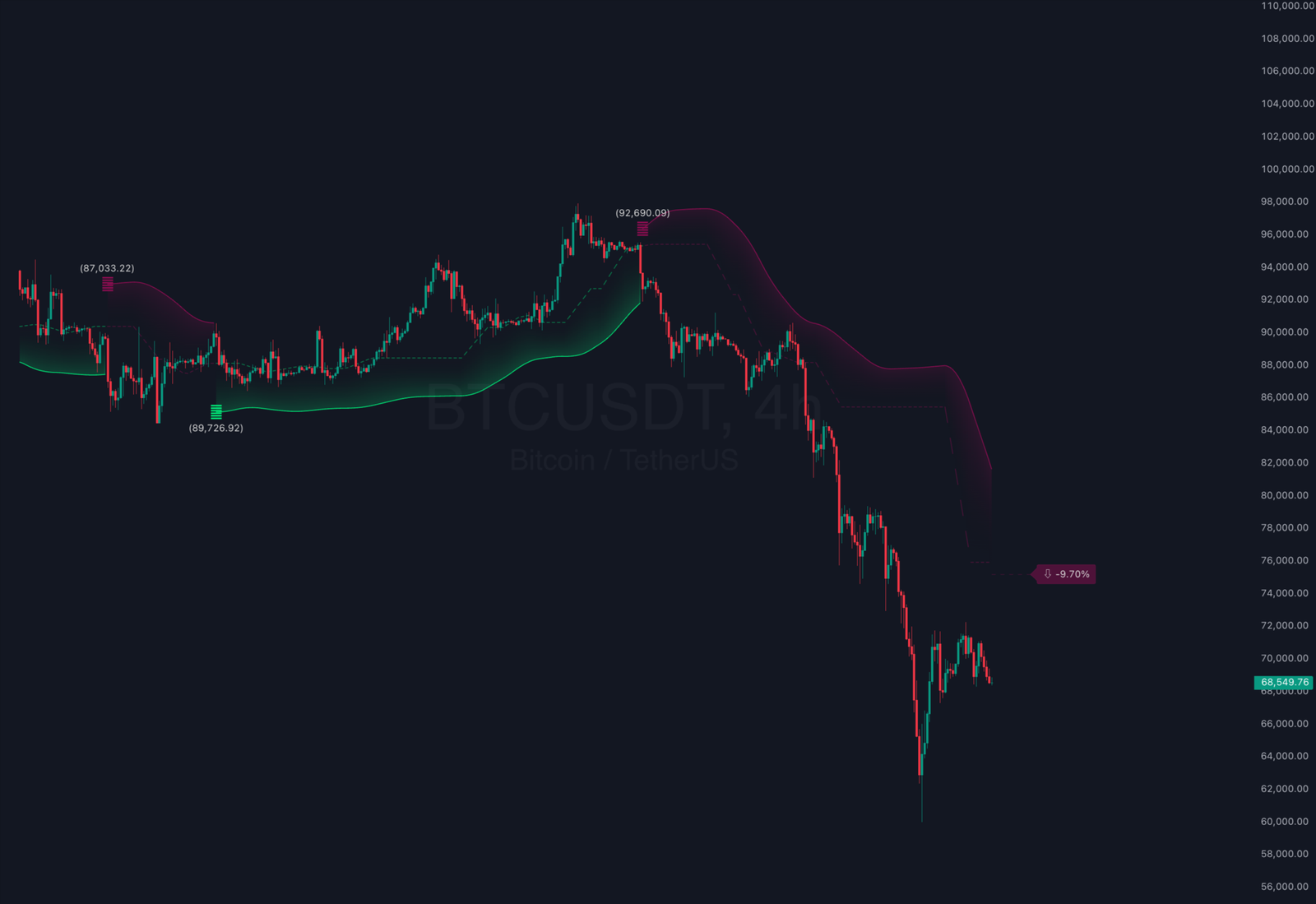
Swing Flow Indicator: The Ultimate Code Analysis Masterclass
Preamble: The Art of Algorithmic Literacy
In the world of quantitative finance and algorithmic trading, the true edge does not come from simply using a tool, but from deeply understanding the mechanics that drive it. To trust an indicator with your capital, you must understand its heartbeat—the logic, the mathematics, and the syntax that governs its decisions.
This document is not just a manual; it is a comprehensive, line-by-line dissection of the Swing Flow Indicator. We will explore every variable, every function call, and every design decision made by the developers at ChartPrime. By the end of this masterclass, you will not only understand how the Swing Flow Indicator works, but you will also possess a deeper appreciation for Pine Script programming and market structure theory.
We will proceed sequentially, analyzing the code from Line 1 to Line 119, expanding on the theoretical and practical implications of each segment.
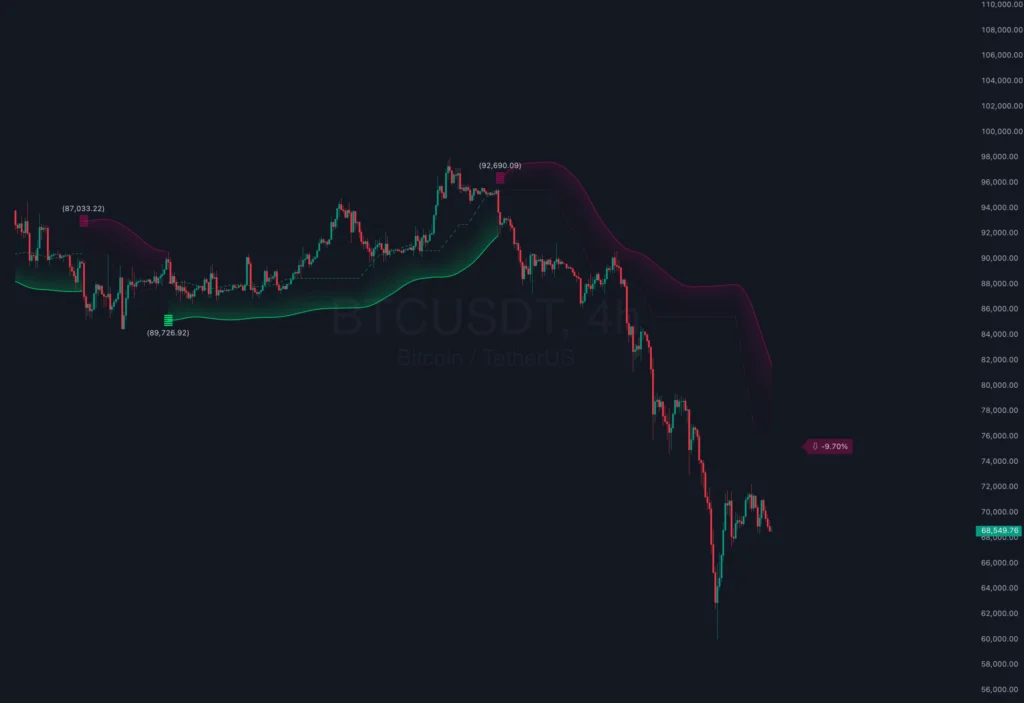
Section 1: Header and Licensing (Lines 1-5)
The Code
1: // This Pine Script™ code is subject to the terms of the Mozilla Public License 2.0 at https://mozilla.org/MPL/2.0/
2: // © ChartPrime
3:
4: //@version=5
5: indicator("Swing Flow Indicator [ChartPrime]", overlay = true, max_labels_count = 500)
Deep Dive Analysis
Line 1: The Legal Framework
The script begins with a standard comment referencing the Mozilla Public License 2.0 (MPL 2.0). In the Pine Script ecosystem, this is a critical declaration. It signifies that the code is open-source but comes with specific stipulations regarding redistribution. For a trader, seeing this license implies transparency. It means the logic is not a “black box”; it is open for inspection, modification, and learning. It fosters a community of trust, which is rare in the proprietary world of trading indicators.
Line 2: Attribution
// © ChartPrime is a copyright notice. While simple, it establishes provenance. Knowing who authored a script allows traders to assess reliability based on the vendor’s reputation. ChartPrime is known for high-quality, institutional-grade tools, setting a professional tone right from the start.
Line 4: Version Control
//@version=5 is a directive to the Pine Script compiler. Pine Script has evolved significantly over the years. Version 5 is the most recent and robust iteration, offering substantial improvements in library support, drawing capabilities, and execution speed over Version 4. By strictly defining the version, the developer ensures that the script will compile correctly on modern TradingView engines and utilize the latest optimized namespaces (like ta. for technical analysis and math. for mathematical operations).
Line 5: Indicator Declaration
This is the single most important line for setup.
indicator(...): This function tells TradingView that this script is an “Indicator” and not a “Strategy” (which would be used for backtesting) or a “Library”."Swing Flow Indicator [ChartPrime]": This is the title that appears in the indicator list and on the chart legend.overlay = true: This boolean argument is crucial. It tells the chart to plot the indicator directly on top of the price candles. If this were set tofalse, the indicator would appear in a separate pane below the chart (like RSI or MACD). Since the Swing Flow is a trend-following tool that interacts with price levels,overlay = trueis mandatory for visual correlation.max_labels_count = 500: Pine Script has a default limit of around 50 labels per script to preserve memory. However, this indicator draws pivot points historical data. By explicitly raising this limit to 500, the developer ensures that the user can zoom out and see a rich history of pivot points without them disappearing. This shows foresight regarding the user experience.
Section 2: User Inputs and Configuration (Lines 8-16)
The Code
8: // --------------------------------------------------------------------------------------------------------------------}
9: // 𝙐𝙎𝙀𝙍 𝙄𝙉𝙋𝙐𝙏𝙎
10: // --------------------------------------------------------------------------------------------------------------------{
11: int   len         = input(10)
12: float mult        = input.float(2, "Bands", step = 0.1, minval = 1)
13: bool  show_pivot  = input.bool(false, "High & Lows")
14: color color_plus  = input.color(color.lime, "+", group = "Color", inline = "col")
15: color color_minus = input.color(color.maroon, "-", group = "Color", inline = "col")
Deep Dive Analysis
Lines 8-10: Structural Comments
The developer uses decorative comment blocks to organize the code. This does not affect execution but is a hallmark of professional coding standards. It makes the codebase maintainable and readable for other developers.
Line 11: The Length Input (`len`)
int len = input(10): This defines an integer variable namedlenwith a default value of 10.- Significance: This is the “Lookback Period”. It determines the sensitivity of the entire system. A smaller number (e.g., 5) would make the indicator react to minor price fluctuations (Scalping Mode), while a larger number (e.g., 20) filters out noise for longer-term trends (Swing Mode). The choice of 10 is a balanced default, likely optimized for hourly charts.
- Why
int? Because you cannot have “half a candle”. The lookback must be a whole number.
Line 12: The Multiplier Input (`mult`)
float mult = input.float(2, "Bands", ...): This defines a floating-point number (a number with decimals).- “Bands”: This is the label the user sees in the settings menu.
- step = 0.1: This allows fine-tuning. The user can adjust sensitivity in increments of 0.1 (e.g., 2.1, 2.2).
- minval = 1: This is a safety constraint. It prevents the user from setting a multiplier less than 1, which would collapse the bands into the price and generate infinite false signals.
- Theory: This controls the width of the volatility channel (ATR Bands). A value of 2 means the bands are placed 2 ATRs away from the mean. This is a standard statistical deviation often used in Bollinger Bands (2 Standard Deviations).
Line 13: Pivot Visibility (`show_pivot`)
bool show_pivot = input.bool(false, ...): This creates a checkbox (Boolean: True/False).- Default: False. The developer assumes the user wants a clean chart.
- Purpose: This is a debugging and educational feature. Enabling it allows the trader to see exactly where the algorithm identified a market structure high or low, validating the trend logic.
Lines 14-15: Aesthetic Customization
color_plusandcolor_minus: These inputs allow users to define their color palette.- Psychology: By default, it uses
color.limefor bullish (positive) andcolor.maroonfor bearish (negative). Maroon is chosen over bright red because it is less aggressive on the eyes during long trading sessions. inline = "col": This argument forces both color pickers to appear on the same line in the settings menu, saving UI space and grouping related settings logically.
Section 3: Indicator Calculations and State Management (Lines 19-36)
The Code
24: swing_flow(len)=>
25:
26:     series float ph  = ta.pivothigh(len, len)
27:     series float pl  = ta.pivotlow(len, len)
28:
29:     var h1    = float(na)
30:     var l1    = float(na)
31:     var h     = float(na)
32:     var l     = float(na)
33:     var m     = float(na)
34:     var trend = bool (na)
35:
36:     series float atr = ta.atr(200)*mult
Deep Dive Analysis
Line 24: Function Definition
swing_flow(len)=> declares a custom function. Encapsulating logic in a function is a best practice. It allows the code to be reusable. If the developer later wanted to run this logic on two different timeframes simultaneously, they could simply call this function twice.
Lines 26-27: The Pivot Engines
ta.pivothigh(len, len): This is a built-in Pine Script function. It returns the price of the high if the current bar is the highest bar amonglenbars to the left ANDlenbars to the right.- Critical Note on Repainting: Because this function looks forward (
lenbars to the right), it provides a value for a bar in the past. Real-time traders must understand that pivot points are confirmed after the fact. However, the Swing Flow indicator uses these historical points to build current support/resistance levels, which do not repaint once established.
Lines 29-34: Persistent Variables (`var`)
var h1 = float(na): Thevarkeyword creates a variable that initializes only once (on the first bar) and then retains its value from bar to bar.- Why is this vital? In standard programming, variables reset every loop. In trading, we need to “remember” the last support level even if it happened 50 bars ago.
h1andl1will store the most recent valid pivot high and low prices. h,l,m: These stand for High Band, Low Band, and Mid-line.trend: A boolean variable to track the current market state (Bullish/True or Bearish/False/NA).
Line 36: ATR Calculation
ta.atr(200): Calculates the Average True Range over 200 bars.- Why 200? Standard ATR is usually 14. Using 200 makes this a “Slow ATR”. It measures the long-term volatility regime of the market rather than short-term noise.
* mult: We scale this base volatility by the user’s multiplier. This defines the “breathing room” the price has before it hits a band.
Section 4: Market Structure Update Logic (Lines 38-54)
The Code
38:     if not na(ph)
39:         h1 := high
40:         if show_pivot
41:             label.new(bar_index[len], high[len], text = "⬥", ...)
46:
47:     if not na(pl)
48:         l1 := low
49:         if show_pivot
50:             label.new(bar_index[len], low[len], text = "⬥", ...)
Deep Dive Analysis
Lines 38 & 47: Pivot Validation
if not na(ph): This checks if the pivothigh function found a valid pivot on the current calculation bar. Remember, ta.pivothigh returns NaN (Not a Number) for most bars. It only returns a price value when a pivot structure is confirmed.
Lines 39 & 48: State Updates
h1 := high: If a new pivot high is confirmed, we update our persistent variable h1 to equal the high of the current candle. The := operator is the “reassignment operator” in Pine Script, crucial for updating mutable variables.
Context: This means h1 always holds the price of the most recent significant structural high. This is the “ceiling” of our market analysis.
Lines 40-45 & 49-54: Visual Debugging
label.new(...): If show_pivot is checked, we draw a diamond symbol ("⬥").
Offsetting Coordinates: Notice bar_index[len] and high[len]. We don’t draw the label on the current bar. We draw it len bars ago, because that is where the actual pivot peak occurred. The algorithm has to wait len bars to confirm it was indeed a peak (by verifying no subsequent bars went higher), so now it “back-labels” it. This is perfectly correct behavior for structural analysis.
Section 5: The “Flow” Calculation (Lines 56-58)
The Code
56:     m := ta.sma(math.avg(h1, l1), len)
57:     h := ta.sma(m + atr, len*2)
58:     l := ta.sma(m - atr, len*2)
Deep Dive Analysis
Line 56: The Mid-Line (`m`)
math.avg(h1, l1): First, we find the exact center between the most recent Structural High h1 and Structural Low l1. This gives us a raw “Fair Value” price.
ta.sma(..., len): We don’t use the raw average because it would step-change abruptly whenever h1 or l1 updates. Instead, we smooth it using a Simple Moving Average (SMA) over len periods. This creates a smooth, flowing line that represents the “Center of Gravity” of the market trend.
Lines 57-58: The Dynamic Bands
m + atr: The Upper Band starts as the Mid-line plus the volatility buffer.
m - atr: The Lower Band starts as the Mid-line minus the volatility buffer.
ta.sma(..., len*2): We smooth these bands again, but with double the length (len*2).
Why Double Smoothing? The bands serve as dynamic support and resistance. We want them to be more stable than the center line. By doubling the smoothing period, the bands become resistant to fake-outs and spikes. They act like rigid guardrails that gently curve with the trend, rather than jagged lines that follow every tick.
Section 6: Trend Decision Logic (Lines 60-66)
The Code
60:     bool cross_up = ta.crossover(high, h)
61:     bool cross_dn = ta.crossunder(low, l)
62:
63:     switch
65:         cross_up => trend := true
66:         cross_dn => trend := false
Deep Dive Analysis
Lines 60-61: The Triggers
ta.crossover(high, h): This function returns true if the high of the current candle crosses over the Upper Band h. This signifies a breakout to the upside—volatility is expanding, and buyers are pushing price into new territory.
ta.crossunder(low, l): returns true if the low crosses under the Lower Band l. This signifies a breakdown.
Lines 63-65: The State Machine
switch: A control structure that acts like a simplified if-else chain.
Logic:
- If a
cross_upevent occurs, settrendtotrue(Bullish). - If a
cross_dnevent occurs, settrendtofalse(Bearish).
trend retains its previous value (because it was defined with var). This is crucial. It means once a trend is established, it remains in effect until a counter-signal explicitly reverses it. This filtering allows the trader to ride long trends without getting shaken out during minor retracements that don’t breach the opposite band.
Section 7: Signal Events and Distance Calculations (Lines 67-74)
The Code
67:     bool sig_up = trend != trend[1] and cross_up
68:     bool sig_dn = trend != trend[1] and cross_dn
...
74:     string distance = str.tostring((close - m) / close * 100, format.percent)
Deep Dive Analysis
Lines 67-68: Filtering for Unique Signals
We want to fire an alert only when the trend changes direction, not every single time the price stays above the band.
trend != trend[1]: This checks if the trend state on the current bar is different from the trend state on the previous bar ([1]).
and cross_up: We combine the state change with the trigger event.
Result: sig_up is true ONLY on the exact bar where the market flips from Bearish to Bullish. This is the “Entry Signal”.
Line 74: The Distance Metric
This is a quantitative feature. It calculates (close - m) / close.
Meaning: It measures the percentage deviation of the current price from the moving average (Mid-line).
Usage:
- Approaching 0.00%: Price is at “Fair Value”. Good for entry if trend aligns.
- High Positive (e.g., +2.00%): Price is “Overbought” relative to the trend. Risk of pullback.
- High Negative: Price is “Oversold”.
str.tostring(..., format.percent): Converts this math into a readable string like “1.5%” to be displayed on the chart.
Section 8: Visualizing the “Future” (Lines 76-91)
The Code
76:     if barstate.islast
77:         line.delete(line.new(bar_index, m, bar_index+15, m, ...)[1])
78:         label.delete(...)
Deep Dive Analysis
Line 76: `barstate.islast`
This code block only executes on the last bar of the chart (the real-time bar). We don’t need to draw projections on historical bars.
Line 77: The Projected Mid-Line
line.new(...): This draws a dashed line extending 15 bars into the future (to bar_index+15) at the current level of the Mid-line m.
Purpose: It gives the trader a visual reference of where the “mean” is, helping them anticipate where price might find support if it drops immediately.
line.delete(...[1]): This is a “Cleanup” trick. On every new tick, we create a new line. To prevent thousands of lines from cluttering the screen or memory, we immediately delete the reference to the line created on the previous update. This creates the animation effect of a single line “moving” with the price.
Lines 78-91: The Smart Label
This complex block creates a label at the end of the projection line.
Ternary Logic:
trend and close > m ? "⇧ " + distance: If bullish and above mean, show Up Arrow with distance.not trend and close < m ? "⇩ "+ distance: If bearish and below mean, show Down Arrow."⇨": If consolidating (rare/neutral), show Right Arrow.
Section 9: Output and Plotting (Lines 93-118)
The Code
96: [sig_up, sig_dn, color_trend, h, m, l, trend] = swing_flow(len)
...
103: p_h = plot(trend ? na : h, ...)
104: p_l = plot(trend ? l : na, ...)
105: p_m = plot(m, ...)
106:
107: fill(p_l, p_m, l, m, color.new(color_trend, 80), na)
108: fill(p_h, p_m, h, m, color.new(color_trend, 80), na)
Deep Dive Analysis
Lines 103-104: Conditional Plotting
plot(trend ? na : h, ...):
If trend is true (Bullish), we plot na for the Upper Band h. Why? Because in a bullish trend, we only care about the floor (Lower Band) and the middle. We "hide" the ceiling until the trend flips.
Alternatively, line 104 plots the Lower Band l only when the trend is true.
This creates a clean chart "Step" visual where only the relevant stop-loss level is visible.
Line 105: The Mid-Line Plot
color = bar_index % 2 == 0 ? ... : na: This is a clever visual trick. By using the modulo operator (% 2), the line is only colored on every other bar. This creates a "Dotted Line" effect without using the style=plot.style_circles argument. It renders the Mid-line as a subtle ghost line.
Lines 107-108: The Cloud Fill
fill(p_l, p_m, ...): This fills the space between the Lower Band and the Mid-Line (or Upper and Mid).
color.new(color_trend, 80): It uses the trend color with 80% transparency. This creates the "Cloud" or "River" effect that makes the Swing Flow indicator so visually intuitive. Use Green, you swim upstream (Buy). Use Maroon, downstream (Sell).
Lines 110-111 & 113-117: Signals & Text
plotchar: Plots the tiny square symbols ("🞛") at the exact point of entry.
label.new(...): If a signal occurs, it creates a text label showing the current closing price.
str.tostring(close, "(#,###.##)"): Formats the price cleanly (e.g., 1,234.56).
User Value: This stamps the chart with the exact price level of the signal generation, allowing for easy back-review of trade performance.
Conclusion
We have traveled from Line 1 to Line 119. What started as a block of text is now revealed to be a sophisticated machine. The Swing Flow Indicator uses a multi-stage pipeline:
- Detect structural pivots in history.
- Measure volatility using long-term ATR.
- Construct dynamic channels smoothed by moving averages.
- Evaluate price interaction with these channels to determine state.
- Visualize the result with user-centric design principles (smart labels, conditional plotting).

Add your first comment to this post
You must be logged in to post a comment.